
Session Buddy was one of the first Chrome session manager extensions to gain widespread adoption. For years, it was the go-to tool for anyone who wanted to save and restore browser tabs. But in 2026, the landscape has changed significantly — and many users are actively searching for a Session Buddy alternative that keeps pace with how they actually work.
This guide provides an honest, feature-by-feature comparison between Session Buddy and Super Session Manager. If you're on the fence about switching, this article will give you everything you need to make an informed decision.
Try the modern Session Buddy alternative — free, no account needed
Save entire browser windows in one click. Restore them instantly. Local-first with optional cloud sync.
Why Users Are Leaving Session Buddy
Session Buddy still works. If you installed it years ago and it covers your needs, there's no urgent reason to leave. But the feedback from users who are switching tells a consistent story:
- Infrequent updates — Session Buddy's update history has slowed considerably. Bugs introduced by Chrome updates can linger for months.
- No cloud sync — In 2026, most power users work across two or more machines. Session Buddy keeps everything local, with no path to sync.
- Dated UI — The interface was designed in a different era of Chrome extensions and hasn't caught up with modern UX conventions.
- No auto-snapshots — If Chrome crashes before you manually saved a session, it's gone.
- Manifest V2 concerns — Google's Manifest V3 transition is ongoing, and MV2 extensions face deprecation pressure.
Super Session Manager: The Modern Alternative
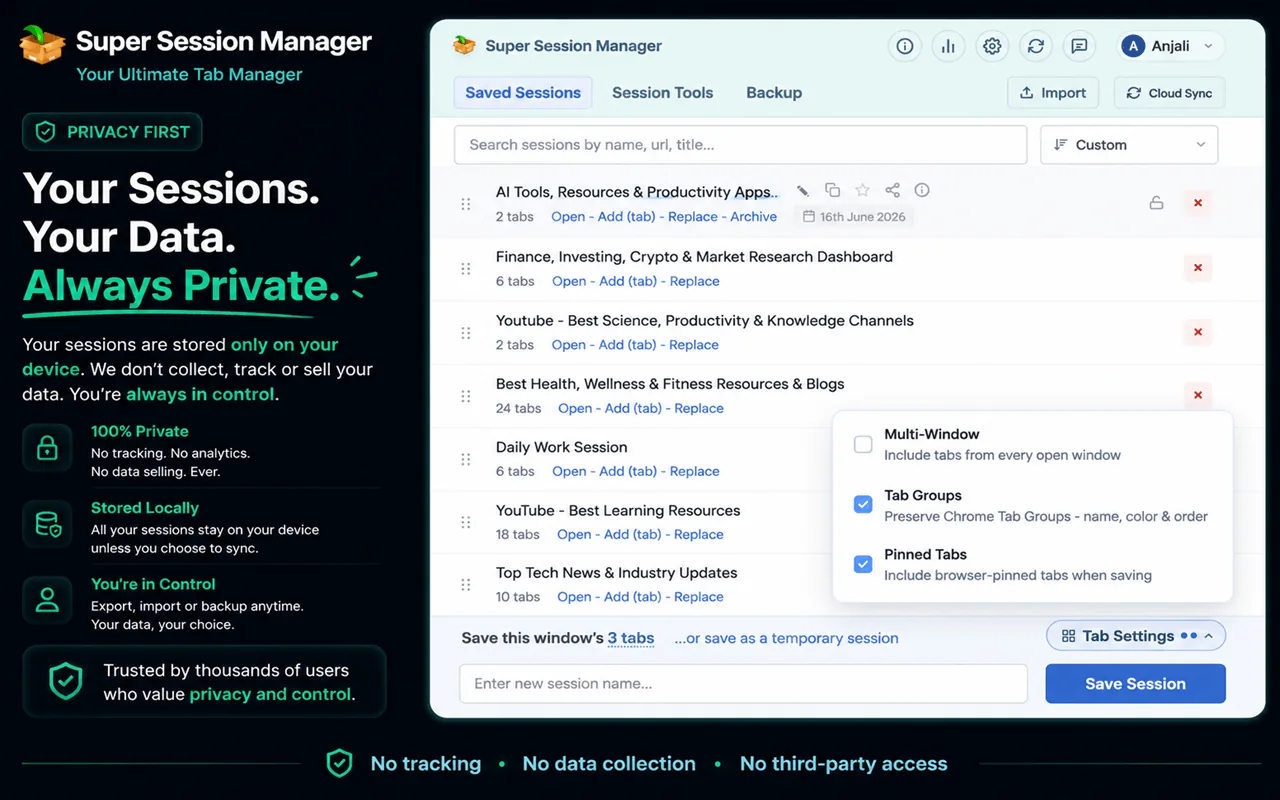
Super Session Manager is a browser session manager built from the ground up as an MV3 extension with a privacy-first, local-first design. It offers everything Session Buddy does — and then some — in a polished, actively maintained package.
Feature-by-Feature Comparison
| Feature | Session Buddy | Super Session Manager |
|---|---|---|
| Save named sessions | ✅ | ✅ |
| One-click window save | ✅ | ✅ |
| Restore individual tabs | ✅ | ✅ |
| Keyboard shortcut to save | ❌ | ✅ |
| Cloud sync (cross-device) | ❌ | ✅ (opt-in) |
| Rolling auto-snapshots | ❌ | ✅ |
| Tab search | ✅ | ✅ |
| Session statistics | ❌ | ✅ |
| Pinned/favourite sessions | ❌ | ✅ |
| Drag to reorder sessions | ❌ | ✅ |
| Import/Export JSON | ✅ | ✅ |
| Manifest V3 | ⚠️ partial | ✅ full |
| Active development in 2026 | ⚠️ slow | ✅ |
| Free tier | ✅ | ✅ |
| Local-first privacy | ✅ | ✅ |
Cloud Sync: The Biggest Difference
The absence of cloud sync is the single most cited reason users switch from Session Buddy. If you use Chrome on a desktop and a laptop, Session Buddy keeps those two environments completely siloed. You must manually export and import session files if you want to move them across machines.
Super Session Manager solves this elegantly. When you sign in (optional), up to 5 named sessions sync to the cloud automatically on the free tier. Pro users get unlimited cloud sync with auto-sync on every change. Cloud sync can be disabled entirely from the extension settings at any time — your data never leaves your device unless you choose.
Auto-Snapshots: The Safety Net You Didn't Know You Needed
Session Buddy requires manual saves. If Chrome crashes, updates unexpectedly, or you close a window by mistake, any unsaved session is gone. Super Session Manager maintains rolling auto-snapshots in the background. The free tier keeps 3 recent snapshots; Pro expands this to 100.
Think of it as automatic versioning for your browser. You can go back to what you had open an hour ago, or even last night, without having remembered to hit save. Learn more about this in our guide on how to restore Chrome tabs after a crash.
UI and Usability
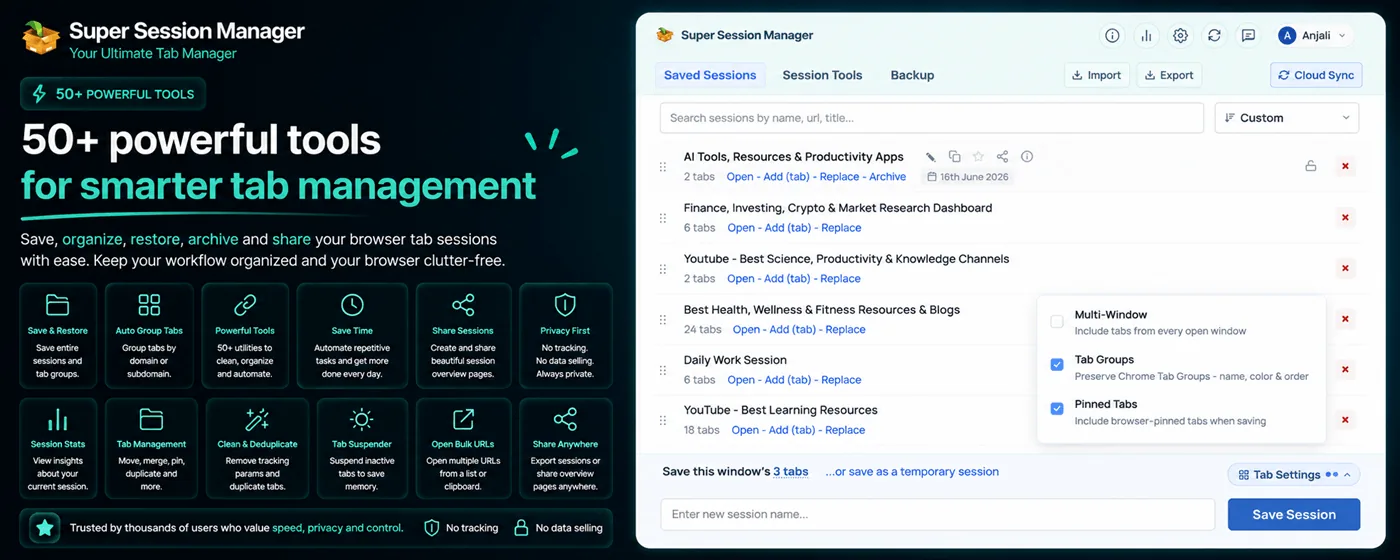
Super Session Manager's popup interface was designed for 2026's Chromium ecosystem. Sessions are displayed in a clean list with tab counts, last-used timestamps, and quick-action buttons. You can search by session name, URL, or tab title. Dragging to reorder sessions works exactly as you'd expect.
Session Buddy uses a full-page tab interface that opens in a new tab. It can feel heavy compared to a purpose-built popup extension, and it lacks the sort/filter speed of modern tools.
Manifest V3 and Long-Term Viability
Google's transition to Manifest V3 (MV3) has significant implications for extension developers. MV3 restricts certain background tasks and networking patterns that older extensions relied on. Super Session Manager was architected for MV3 from the start, meaning it won't be broken by Chrome updates that target MV2 extensions.
How to Switch from Session Buddy to Super Session Manager
- In Session Buddy, export your sessions as a JSON file (Settings → Export).
- Install Super Session Manager from the Chrome Web Store.
- In Super Session Manager, use the Import feature to load your JSON file.
- Your sessions will appear in the extension immediately.
- Once confirmed, you can disable or remove Session Buddy.
The migration takes under two minutes and preserves all your saved sessions.
Pricing Comparison
| Plan | Session Buddy | Super Session Manager |
|---|---|---|
| Free tier | Full (no cloud) | Full local + 5 cloud sessions |
| Pro / Paid | ❌ no paid tier | ~$3/month — unlimited sync + snapshots |
| Lifetime option | ❌ | ✅ |
Conclusion: Should You Switch?
If Session Buddy is working fine for your current workflow — local only, no cloud, basic save/restore — you don't have to switch. But if you've ever wished for cross-device sync, automatic crash recovery, a modern interface, or confidence that your extension will keep working through Chrome's MV3 transition, Super Session Manager is the natural upgrade.
Performance and Resource Usage
A common concern when switching extensions is performance impact. Session Buddy opens a full-page interface that can feel heavy when managing hundreds of saved tabs. Super Session Manager uses a lightweight popup that loads instantly and stays under typical memory budgets for MV3 extensions.
In Chrome Task Manager (Shift+Esc), compare background CPU and memory for both extensions. For users with 8 GB RAM and 50+ open tabs, a lightweight session manager matters — every megabyte counts when the browser is already under pressure. For more ways to cut memory usage beyond the extension itself, see how to free up Chrome RAM when you have too many tabs open.
Security and Privacy Deep Dive
Session managers see every URL you save. That is inherent to the category. The question is what happens to that data:
- Session Buddy: Stores everything in local Chrome storage. No cloud sync means no server exposure, but also no cross-device backup.
- Super Session Manager: Local-first by default. Cloud sync is opt-in, disableable, and limited to named sessions you choose to sync. Auto-snapshots never leave your device.
If you work with sensitive client data, Super Session Manager's ability to keep sessions local-only while still using auto-snapshots is a meaningful advantage. You get crash protection without uploading URLs to any server.
Long-Term Outlook: Why 2026 Is the Right Time to Switch
Chrome's extension platform is in transition. Manifest V3 changes how background processes work. Extensions that have not actively migrated may break silently on Chrome updates. Session Buddy's slower update cadence creates risk for users who depend on it daily.
Super Session Manager is actively maintained with regular releases, a public changelog, and architecture designed for MV3 from day one. Switching now — while your Session Buddy data is still exportable — is easier than switching after a breaking Chrome update forces the issue.
For a broader view of the tab manager landscape, see our best tab manager extensions for Chrome roundup.
User Testimonials: What Switchers Say
While individual experiences vary, users who switch from Session Buddy consistently cite the same improvements:
- Faster popup interface versus Session Buddy's full-page tab
- Confidence from auto-snapshots after losing work to crashes
- Ability to continue sessions on a laptop after saving on a desktop
- Search across sessions when they cannot remember which project a tab belonged to
- Cleaner session list with drag-to-reorder and pinned favorites
The most common regret is not switching sooner — particularly after a crash that Session Buddy could not recover from because no auto-snapshot existed.
Feature Roadmap Considerations
When evaluating any Session Buddy alternative, consider where the tool is headed, not just where it is today. Super Session Manager ships regular updates documented in the public changelog. Recent focus areas include MV3 performance, cloud sync reliability, and statistics dashboard improvements.
Session Buddy's development pace makes its future feature set uncertain. If you need capabilities like cloud sync, auto-snapshots, or session statistics today, waiting for Session Buddy to add them is not a reliable strategy.
After the Switch: Optimizing Your Setup
Once you have migrated from Session Buddy, optimize your Super Session Manager configuration within the first week. Pin the extension. Set a keyboard shortcut. Enable auto-snapshots. Name your three most-used sessions with consistent prefixes. Enable cloud sync for sessions you need on multiple devices.
Review the statistics dashboard after two weeks. Delete sessions you have not restored. Merge overlapping sessions from the same project. The goal is a lean, searchable library — not a digital attic of every tab you opened in March.
Users who complete this optimization report that Super Session Manager feels less like a "replacement" and more like an upgrade they should have made years ago. The combination of crash safety, search, and optional sync addresses the three pain points Session Buddy never solved.
The Chrome Web Store makes switching easy — install Super Session Manager alongside Session Buddy, import your JSON export, verify your sessions restored correctly, then remove the old extension. Your data migrates; your habits improve; your crash anxiety disappears. That is the practical reality of upgrading to a modern session manager in 2026.
Session Buddy earned its reputation. Super Session Manager builds on everything it got right — local storage, reliable save/restore, free access — and adds the features users have requested for years: cloud sync, auto-snapshots, modern UI, and active development. The switch is not a betrayal of a trusted tool. It is the natural next step for anyone whose workflow has outgrown what Session Buddy offers.
Technology choices are personal, but data portability makes this one easy. Export your Session Buddy JSON, import into Super Session Manager, and run both side by side for a week if you need convincing. The feature gap is not subtle — it is the difference between a tool from 2015 and a tool built for 2026. Make the switch on your own schedule, but make it before the next crash proves why waiting costs more than migrating.
Session Buddy was the right tool for its time. Super Session Manager is the right tool for 2026. The migration is free, fast, and reversible until you delete the export. Try it this week and decide with your own sessions in front of you.
The upgrade is free. The import takes minutes. The improvement lasts years. Start today.